
Author: Matthew Deline
Building a Singing Tree with Raspberry Pi – Part 17
UpdatesWe built a coat rack that I got from Argos to use as the base of our tree and to test with our example Code on the raspberry pi. If there’s time we’ll add on to the shape somehow (by extending the branches or something) but will need to be careful not to ruin the experience. If we add on too much by making surfaces that people can’t interact with (though they would expect that they can) we’ll break the experience
Building a Singing Tree with Raspberry Pi – Part 16
UpdatesBuilding a Singing Tree with Raspberry Pi -Part 15
Updates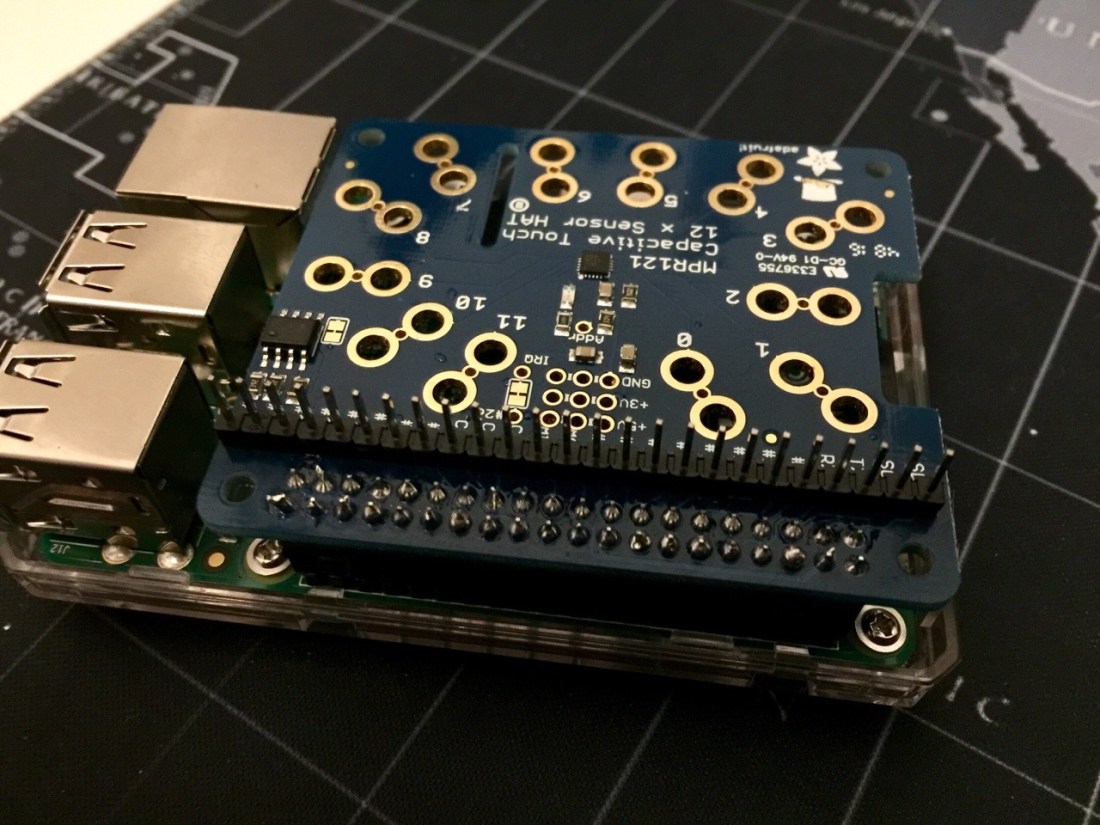
While I was unable to get the Raspberry Pi to communicate with the Bluefruit nRF52 board over a Bluetooth serial communication (it appears to require further research in the Nordic SDK to get functioning) – it was a very good lesson for navigating low level hardware and basic Python scripting that I hope to apply to the rest of this project.
Today in class I was able to get the system up and running headless over SSH with a portable battery. After speaking with Matt, I learned that it may be best to just use the GPIO pins not being used by the Capacitive touch Hat to control the lights.
The next task will be to get the script running with sound and light (using LEDs) happening when a sensor is touched. Once we’ve got that working we can start implementing both on a small scale tree model.
Building a Singing Tree with Raspberry Pi -Part 14
UpdatesBuilding a Singing Tree with Raspberry Pi -Part 13
UpdatesBuilding a Singing Tree with Building a Singing Tree with Raspberry Pi -Part 12
UpdatesBuilding a Singing Tree with Raspberry Pi -Part 11
UpdatesSo we haven’t managed to get the script to output audio over Bluetooth, as it appears that the sudo command (which is required to access the GPIO pins) sets the default audio device to the analog out. We can solve this by using an aux cable, but if there’s time to correct this at a later time, we will return to this.
We’re hoping to complete the project by taking the following steps:
1) Figure out how to get the raspberry pi to communicate to a feather or Arduino over Bluetooth, so that we can send data that could turn on an LED. This LED would be switched for elwire in the final product.
2) Once we’ve done that, make it so that when you touch a Capacitive input, it plays a sound and produces light in sync.
3) From there we will introduce our own sounds and determine a sequence in python to allow us to play with the sounds and lights to solve a basic puzzle.
4) We then need to figure out how to make the tree large (which has power and other concerns). For now, I will be working on numbers 1 and 2, and Billy will be working on 3 until we can meet again to collaborate.
 Matthew Deline